Where Am I?
See where you are on the map, with your address and GPS coordinates.
Find out exactly where you are in one tap.


Screenshots
Features
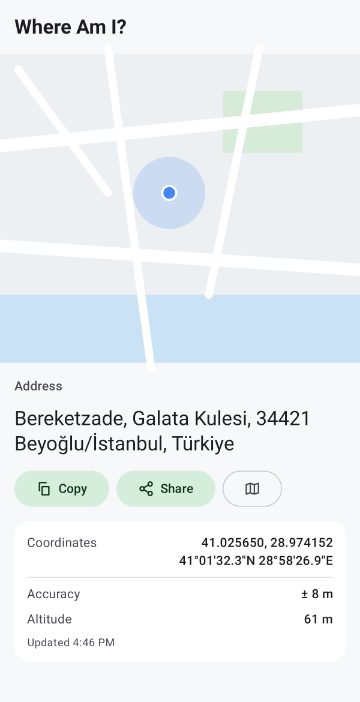
Your location on a Google map, with the blue dot and accuracy circle
Your street address, looked up automatically
Coordinates in decimal and degrees-minutes-seconds format
Accuracy and altitude
Copy your address and coordinates, or share them in a message
Open your location in your favourite maps app
Nearby tab: Wikipedia places and Wikimedia Commons photos around you (500 m, 1.5 km or 4 km), with author and licence credits
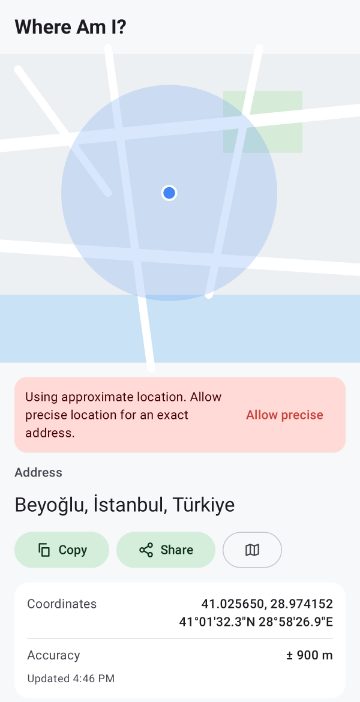
Works with precise or approximate location: your choice
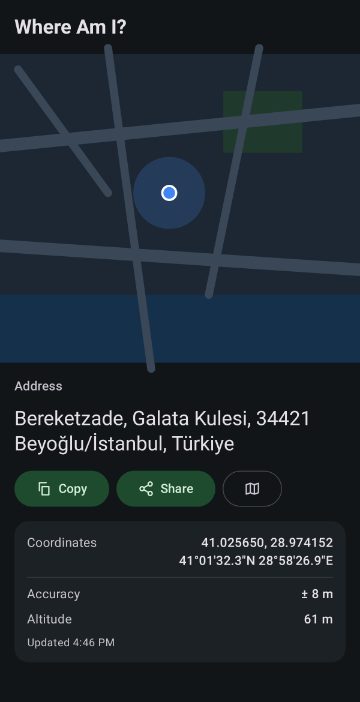
Light and dark theme; English, Turkish, Spanish and Portuguese
Handy when you need to tell someone where you are, call for a taxi or help, or note down a place. Version 2.0 is rebuilt from scratch: a faster, cleaner design and today's Android permissions. Your location is used only while the app is open, to show the map, find the address and search nearby places. It is not stored and is never sent to me; the nearby search sends your coordinates to Wikipedia and Wikimedia Commons. No account, no sign-up.
 Cardles
 Cubbles
 Sliplines
 2048
 Tic-Tac-Toe
 Astrolings
 Tombalings
 Pentolings
 Nudgelings
 Grumblings
 Tilelings
 Nuzzlings
 Logiclings
 Beamies
 Hafta Sonum
 Çalışan Asistanı
 Uzay Günlüğü
 Şans Oyunları
 Age Calculator
 Son Depremler
 BMI Calculator
 National Anthem of Turkey
 National Anthem of Canada
 TurkSail
 MedyaFobi